Setting up a turntable correctly involves understanding the phono preamp requirements, proper cartridge alignment, and speaker connections to achieve optimal vinyl playback. With the 2026 vinyl revival continuing to surge across the United States, proper turntable setup ensures you maximize your analog audio investment while avoiding common pitfalls that degrade sound quality.
Understanding Turntable Components and Requirements
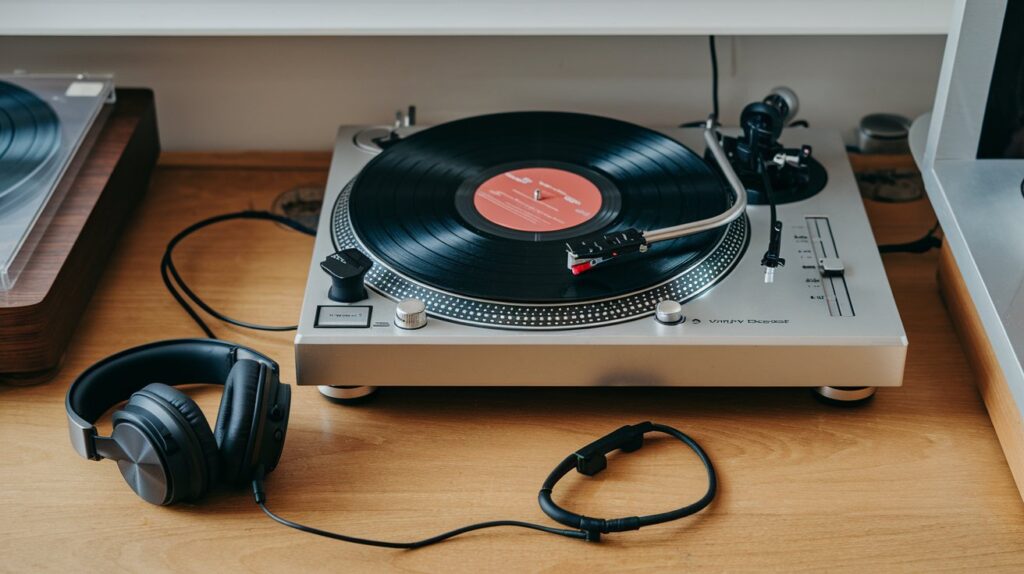
Every turntable setup begins with understanding the core components that affect sound quality. Modern turntables in 2026 feature improved direct drive motors, precision tonearms, and enhanced anti-skate mechanisms. The three essential elements include the platter system, tonearm assembly, and cartridge configuration. Each component must work harmoniously to track records accurately and produce clean audio output.
The phono cartridge serves as the heart of your system, converting mechanical vibrations from vinyl grooves into electrical signals. High-quality cartridges available in 2026 offer superior tracking force consistency and reduced distortion compared to budget alternatives. Proper cartridge installation and alignment directly impacts stereo separation, frequency response, and overall listening experience across all record formats.
Phono Preamp Essentials
A phono preamp amplifies the weak signal from your turntable’s cartridge to line level for compatibility with modern audio equipment. Turntables output a phono signal approximately 1000 times weaker than standard line inputs, requiring specialized amplification with RIAA equalization. External phono preamps in 2026 offer superior performance compared to built-in alternatives, providing cleaner gain staging and reduced noise floor.
Built-in vs External Preamps
Many contemporary turntables include built-in phono preamps with switchable line output options. However, dedicated external preamps consistently deliver superior audio quality through better power supply isolation and premium components. The choice between built-in and external depends on your budget and desired sound quality, with external units offering upgradability and enhanced performance headroom.
Turntable Placement and Surface Setup
Proper turntable placement significantly impacts tracking performance and sound quality. Choose a level, vibration-free surface away from speakers to prevent acoustic feedback. In 2026, isolation platforms and specialized turntable furniture have become more accessible, offering effective vibration control for apartment and home installations. The surface must support your turntable’s weight while maintaining perfect horizontal alignment.
Avoid placement near heating vents, direct sunlight, or high-traffic areas that generate floor vibrations. Isolation feet or dedicated stands help decouple your turntable from environmental disturbances. Many audiophiles in 2026 use specialized maple platforms or isolation pods to achieve studio-quality stability in typical home environments.
Cartridge Installation and Alignment
Cartridge installation requires precision to achieve optimal tracking force and proper stylus alignment. Begin by carefully mounting the cartridge to the headshell using the provided screws, ensuring the cartridge body remains parallel to the headshell surface. Proper installation prevents premature stylus wear and ensures accurate groove tracking across your entire record collection.
Use a digital tracking force gauge to set the manufacturer’s recommended tracking force precisely. Most cartridges perform optimally between 1.5-2.5 grams, with specific recommendations varying by model. Incorrect tracking force causes poor bass response, excessive wear, or groove damage that permanently affects your vinyl records.
Overhang and Azimuth Adjustment
Proper cartridge overhang ensures the stylus maintains correct tangency to groove walls throughout the record surface. Use the alignment protractor included with your turntable or purchase a precision alignment tool for optimal results. Incorrect overhang creates tracking distortion that becomes particularly noticeable during complex musical passages.
Anti-Skate Configuration
Anti-skate compensates for the natural inward force created by tonearm geometry during record playback. Set anti-skate equal to your tracking force as a starting point, then fine-tune by ear or using specialized test records. Proper anti-skate adjustment ensures equal channel output and prevents premature wear on one groove wall.
Connecting Turntable to Audio Systems
Modern turntable connections in 2026 accommodate various audio system configurations, from powered speakers to traditional amplifier setups. Most turntables feature RCA output cables and ground wires that must be properly connected to prevent hum and interference. Understanding your audio system’s input requirements ensures optimal signal transfer and prevents damage to sensitive components.
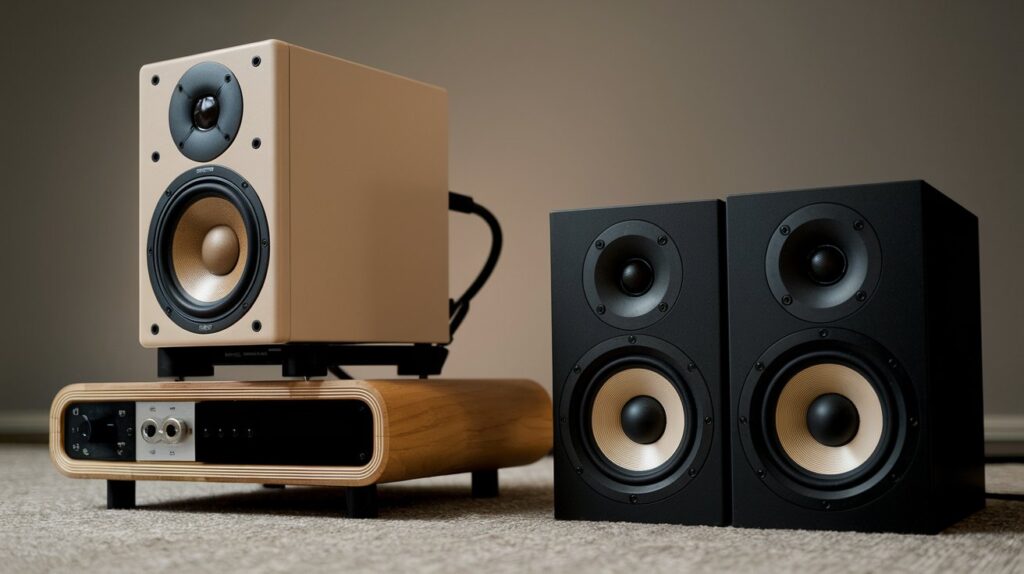
When connecting to powered speakers, ensure your turntable has line output capability or use an external phono preamp. Many popular powered speakers in 2026 include dedicated phono inputs, simplifying connections for vinyl enthusiasts. Always verify input sensitivity and impedance matching to prevent overdriving or underutilizing your audio equipment.
Amplifier Connection Setup
Traditional amplifier connections require careful attention to phono input specifications and proper grounding. Connect the turntable’s RCA cables to the amplifier’s phono inputs, ensuring left and right channel assignment remains consistent. Attach the ground wire to the amplifier’s ground terminal to eliminate potential 60Hz hum common in AC-powered systems.
Bluetooth and Wireless Options
Wireless turntable solutions have evolved significantly by 2026, offering Bluetooth transmission with improved codecs like aptX HD and LDAC. While convenient, wireless connections introduce slight latency and compression that audiophiles may find objectionable. Bluetooth adapters designed specifically for turntables provide better performance than universal solutions through optimized buffering and processing.
Speed Settings and Motor Configuration
Turntable speed accuracy directly affects musical pitch and timing reproduction. Modern turntables offer 33⅓ and 45 RPM speeds, with some models including 78 RPM for historical recordings. Electronic speed control systems in 2026 provide superior stability compared to older belt-drive mechanisms, maintaining consistent rotation despite voltage fluctuations or mechanical variations.
Use a strobe disc or digital tachometer to verify speed accuracy periodically. Even small deviations from correct speed become noticeable to trained listeners, particularly during sustained musical passages. Many high-end turntables include fine-speed adjustment controls for precise calibration to match recording studio standards.
Troubleshooting Common Setup Issues
Common turntable setup problems include audible hum, tracking issues, and speed instability. Hum typically results from improper grounding or interference from nearby electronic devices. Ensure all ground connections remain secure and consider repositioning your turntable away from potential interference sources like WiFi routers, power supplies, or fluorescent lighting.
Tracking problems manifest as skipping, distortion, or uneven channel balance. Verify cartridge alignment, tracking force, and anti-skate settings using appropriate measurement tools. Clean your stylus regularly using specialized brushes and avoid touching the diamond tip with fingers or cleaning products not designed for phono cartridges.
Related video about how to set up a turntable correctly
This video complements the article information with a practical visual demonstration.
Frequently Asked Questions
How do you set up a turntable for beginners?
Start by placing your turntable on a level, stable surface away from speakers. Install the cartridge with proper tracking force (usually 1.5-2.5 grams), connect to a phono preamp or amplifier with phono input, and ensure proper grounding. Set anti-skate equal to tracking force and verify speed accuracy using test records.
Do I set my turntable to phono or line?
Set your turntable to phono when connecting to amplifiers with phono inputs, or line when connecting to powered speakers, computers, or equipment without dedicated phono inputs. Line setting means the built-in preamp is active, while phono setting bypasses internal amplification for external preamps.
Should I set my record player to 33 or 45?
Match the speed setting to your record format: 33⅓ RPM for LPs (long-playing albums) and 45 RPM for singles or EPs. Most records clearly indicate the correct speed on the label. Playing at incorrect speeds causes pitch and tempo distortion that makes music sound unnatural.
How to get the best sound from a turntable?
Optimize sound quality through proper cartridge alignment, accurate tracking force, stable placement on vibration-free surfaces, high-quality phono preamps, and regular stylus cleaning. Use quality interconnect cables, ensure proper grounding, and maintain clean records for optimal audio reproduction.
What equipment do I need for a complete turntable setup?
A complete setup requires a turntable, phono cartridge, phono preamp (if not built-in), amplifier or powered speakers, and appropriate cables. Additional accessories include a stylus brush, alignment protractor, tracking force gauge, and anti-static record brush for maintenance and optimal performance.
How often should I calibrate my turntable setup?
Check tracking force monthly and perform complete alignment verification every six months or when changing cartridges. Speed accuracy should be verified quarterly, while stylus condition requires weekly visual inspection. Replace worn stylus tips every 800-1000 hours of play to maintain optimal sound quality and protect your records.
| Setup Component | Critical Settings | Sound Quality Impact |
|---|---|---|
| Tracking Force | 1.5-2.5g per manufacturer spec | Prevents distortion and record wear |
| Cartridge Alignment | Precise overhang and azimuth | Reduces tracking error and stereo imaging |
| Anti-Skate | Equal to tracking force initially | Balances channel output and groove wear |
| Speed Accuracy | ±0.1% tolerance maximum | Maintains correct pitch and timing |
| Phono Preamp | Matched to cartridge output | Provides clean amplification and RIAA curve |